

Best Email Follow-Up Reminder App in 2026
A practical guide to choosing an email follow-up reminder app that helps you close waiting threads, protect revenue conversations, and keep Gmail, Outlook, and Zoho inboxes calmer.
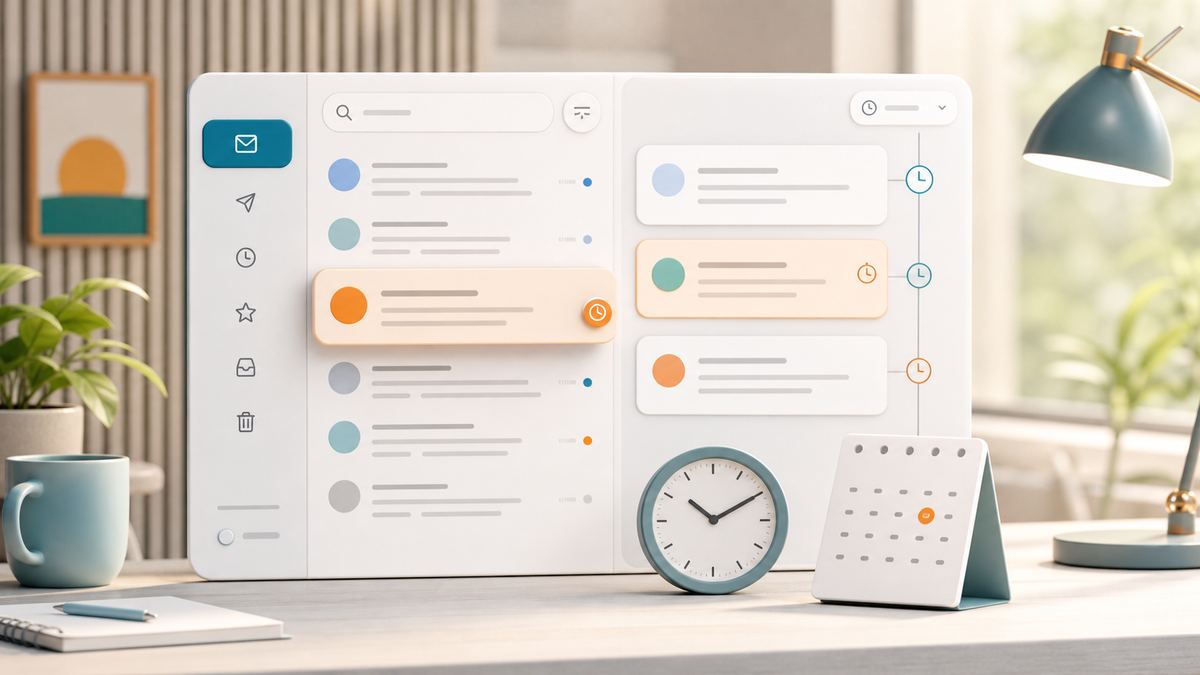
A practical guide to choosing an email follow-up reminder app that helps you close waiting threads, protect revenue conversations, and keep Gmail, Outlook, and Zoho inboxes calmer.
Email follow-ups are easy to underestimate until one costs you something.
A warm lead goes quiet. A client promises to send assets tomorrow. An invoice approval needs one more nudge. A partner asks you to check back next week. None of these threads deserve to sit in your main inbox forever, but they also cannot disappear.
That is why the best email follow-up reminder app should do more than snooze messages. It should help you decide which conversations are waiting, when they should come back, what the thread is about, and what you should do next.
If your inbox is where sales, client work, partnerships, hiring, finance, and support all collide, follow-up reminders are not a tiny productivity feature. They are part of your operating system.
This guide breaks down what to look for in an email follow-up reminder app in 2026, where common tools fall short, and how to build a calmer workflow with AI without giving up control.
What an email follow-up reminder app actually needs to solve
Most people do not forget follow-ups because they are careless.
They forget because email has no natural place for "waiting."
Your inbox is built for messages that arrived. Your calendar is built for time blocks. Your task manager is built for work you intentionally captured. But a waiting email thread lives between all three.
Common examples:
- a prospect who said, "Circle back Friday"
- a customer waiting on an internal answer
- a creator brand deal waiting on rates
- a founder intro that needs a polite bump
- an invoice thread waiting on approval
- a candidate or contractor who needs a decision
- a support conversation that should be checked after resolution
If those threads stay in the inbox, they create clutter. If you archive them without a reminder, they become risk.
A good reminder workflow gives you a third option: done for now, visible later.
Snooze is useful, but it is not the whole system
Many email apps offer some version of snooze or reminders. That is useful. But the feature can become a prettier version of delay if it does not connect to the rest of your inbox workflow.
Basic snooze answers one question:
- When should this email return?
A stronger follow-up system answers five:
- Why is this thread waiting?
- Who owns the next move?
- What is the likely next action?
- Which inbox or account does this belong to?
- What context do I need when it comes back?
That last point matters. A reminder that resurfaces without context still forces you to reread the thread, reconstruct the story, and decide what to say. The best setup brings the email back with enough context to act quickly.
Replyless is built around this broader workflow. Email reminders help you close finished or waiting threads, while thread summaries, AI email drafts, and email scheduling help you handle the thread when it comes back.
The best reminder apps protect revenue conversations
Follow-ups are not equally important.
Some are low-stakes: a newsletter you want to read later, a receipt to check next week, a vendor update you may never need.
Others affect revenue, trust, or momentum:
- sales leads
- customer escalations
- client approvals
- invoices
- partnership offers
- hiring conversations
- event or meeting coordination
- creator brand deals
The best email follow-up reminder app should make high-value waiting threads easier to spot before you set the reminder.
That starts with triage.
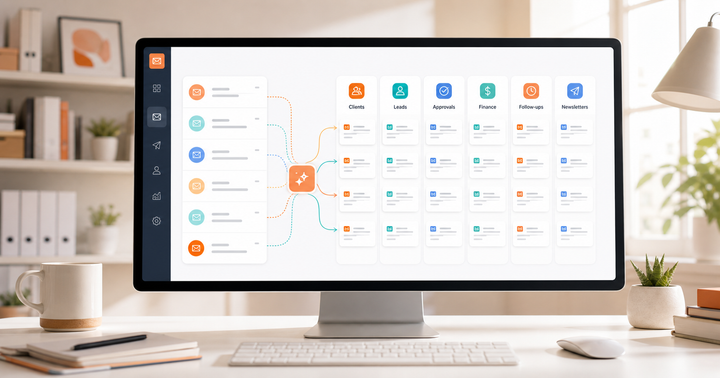
If every email is mixed together, you will set reminders manually and inconsistently. If your inbox is already separated by workflow, reminders become sharper. Leads can come back in the lead lane. Finance threads can come back in the finance lane. Customer conversations can return where your team already works.
Replyless uses AI email categorization and AI split inboxes to separate messages by intent, urgency, sender, and workflow. That makes reminders more useful because you are not just delaying messages. You are putting them back into the right operating context.
What to look for before choosing a follow-up reminder tool
Use this checklist when comparing options.
1. It should work inside your real inbox
The best reminder system is the one you actually use.
If your follow-ups live in a separate task manager, you may capture them well but miss the email context. If they live only in Gmail or Outlook, you may lose consistency across multiple accounts.
Look for a tool that fits the inboxes you already use. Replyless supports Gmail, Outlook, and Zoho Mail workflows, with multiple email account support so each inbox stays scoped.
That is especially important if you use separate accounts for personal email, clients, sales, support, or creator work. A reminder in one inbox should not borrow context from another.
2. It should help you clear the inbox without losing the thread
The point of a reminder is not to postpone anxiety.
The point is to remove a thread from your active view until action is possible.
A good workflow lets you mark a conversation as done for now, bring it back at the right time, and keep the inbox focused on messages that need attention today.
This is where reminders connect naturally to inbox zero. You should not have to keep every waiting thread open just because it matters. Important does not always mean active.
3. It should pair reminders with summaries
When a follow-up comes back, you need the story fast.
What did the prospect ask for? Did the client already approve the scope? Was the last message a question, a promise, or a soft no? Did you already send the attachment?
Thread summaries are useful because they reduce the cost of re-entering the conversation. Instead of rereading twelve messages, you can review the current state and decide the next move.
For busy founders, freelancers, creators, and small teams, this is often the difference between a reminder that gets handled and a reminder that gets snoozed again.
4. It should make the next reply easier
Follow-up reminders should not stop at resurfacing the email.
The next question is usually, "What do I say?"
For simple threads, a reusable snippet may be enough:
- "Just checking in on this."
- "Wanted to bring this back to the top of your inbox."
- "Any update on the approval?"
- "Happy to send over next steps if this is still relevant."
For more nuanced threads, AI drafting helps as long as the final edit stays in your hands. Replyless supports email snippets for repeatable responses and AI drafts for thread-aware first passes.
The safest pattern is review-first: let AI reduce blank-page time, but keep control over tone, pricing, scope, and sensitive replies.
5. It should support scheduled sending when timing matters
Sometimes you do not need a reminder. You need the email to go out later.
That distinction matters.
Use a reminder when the next action depends on new information, timing, or judgment. Use scheduled send when you already know exactly what should be sent and when.
Examples:
- Reminder: "Check whether the client sent the assets by Friday."
- Scheduled send: "Send the agreed follow-up Monday at 9 AM."
- Reminder: "Review whether the prospect replied before nudging."
- Scheduled send: "Send the invoice reminder after the due date."
The best workflow supports both because waiting threads are not all the same.
How popular email tools approach reminders
Different tools come at this problem from different angles.
Superhuman is known for fast personal email workflows and a premium productivity experience. Its strength is speed and keyboard-driven email for power users. If you live in a high-volume executive inbox, speed may matter most. The question to ask is whether your follow-ups need more workflow context than a fast reminder alone can provide.
Spark focuses on a smart email client experience, with priority views, AI writing, summaries, reminders, and cross-platform support. It can fit people who want a full email app with polished everyday productivity features. Compare how easily it separates revenue, client, support, and finance follow-ups from ordinary inbox noise.
Canary Mail positions itself as a secure cross-platform email client with AI, unified inbox, collaboration, calendar, and privacy features. That may be attractive if security and device coverage are your top priorities. If your main pain is follow-up execution, look closely at how reminders connect to triage, summaries, drafts, and account-specific workflows.
Boomerang has long been associated with Gmail follow-up reminders, send later, and response tracking. It can be useful if your core need is classic Gmail follow-up behavior. If you need a broader AI inbox workflow across multiple providers, you may want something more integrated.
Replyless is focused on the practical AI inbox workflow: categorization, split inboxes, reminders, done states, summaries, drafts, snippets, scheduling, cleaner workflows, and multiple account support across Gmail, Outlook, and Zoho Mail.
The buying question is simple: do you need a reminder feature, or do you need a follow-up system?
A simple AI follow-up workflow
If your follow-ups are messy today, do not start by automating everything.
Start with this.
Step 1: Create waiting lanes
Separate active inbox work from waiting threads.
Useful lanes might include:
- leads waiting
- client approvals
- invoices
- partner follow-ups
- hiring follow-ups
- support check-ins
- low-priority read later
This gives you a place for reminders to return that is more useful than the general inbox.
Step 2: Set reminders only when action is uncertain
Do not use reminders as a dumping ground.
Use them when you need to review, decide, or respond later. If the response is already known, schedule the email instead.
This keeps your reminder queue smaller and more meaningful.
Step 3: Summarize before replying
When a reminder comes back, summarize the thread before writing if the conversation has more than a few messages.
Look for:
- what happened so far
- who owes the next action
- what was promised
- what changed
- what the next reply should accomplish
This prevents lazy bumps that ignore context.
Step 4: Draft, then edit
Use AI drafts for the first pass, especially on routine follow-ups.
Then edit for:
- tone
- relationship context
- urgency
- pricing or scope
- legal or sensitive details
- whether the follow-up should happen at all
Good AI helps you move faster. It should not replace judgment.
Step 5: Review stale follow-ups weekly
Some threads should not be reminded forever.
Once a week, review old waiting threads and decide whether to:
- follow up one more time
- archive permanently
- move to a later reminder
- turn the reply into a snippet
- update your split inbox rules
This keeps your reminder system clean instead of becoming a second inbox.
When Replyless is the right fit
Replyless is a strong fit if your follow-up problem is connected to inbox overload.
That usually means:
- important threads get buried
- you manage more than one inbox
- you need reminders across Gmail, Outlook, or Zoho Mail
- you want AI to separate leads, clients, finance, and noise
- you reread long threads before replying
- you want drafts and snippets, but still want final review
- you are trying to reach inbox zero without losing waiting conversations
It may be overkill if all you need is a basic Gmail snooze button. But if your inbox is also your sales pipeline, client hub, support queue, and follow-up tracker, a reminder feature alone is usually not enough.
Start with the full Replyless feature library, then look specifically at reminders, split inboxes, summaries, drafts, snippets, and scheduling.
The bottom line
The best email follow-up reminder app in 2026 is not just the one that brings an email back later.
It is the one that helps you keep waiting conversations out of your active inbox without losing the context, timing, or next action.
For simple personal email, snooze may be enough. For founders, creators, freelancers, and teams, follow-ups need a system: triage first, reminders second, summaries and drafts when the thread returns, and account-aware workflows across every inbox that matters.
Replyless is built for that practical middle ground. It helps you clear what is done, bring back what matters, and reply with context when the moment is right.
Comments ()