

Best AI Email Assistant for Agencies in 2026
A practical guide to choosing an AI email assistant for agencies that need cleaner client triage, faster approvals, reviewable drafts, shared inbox workflows, and reliable follow-ups.
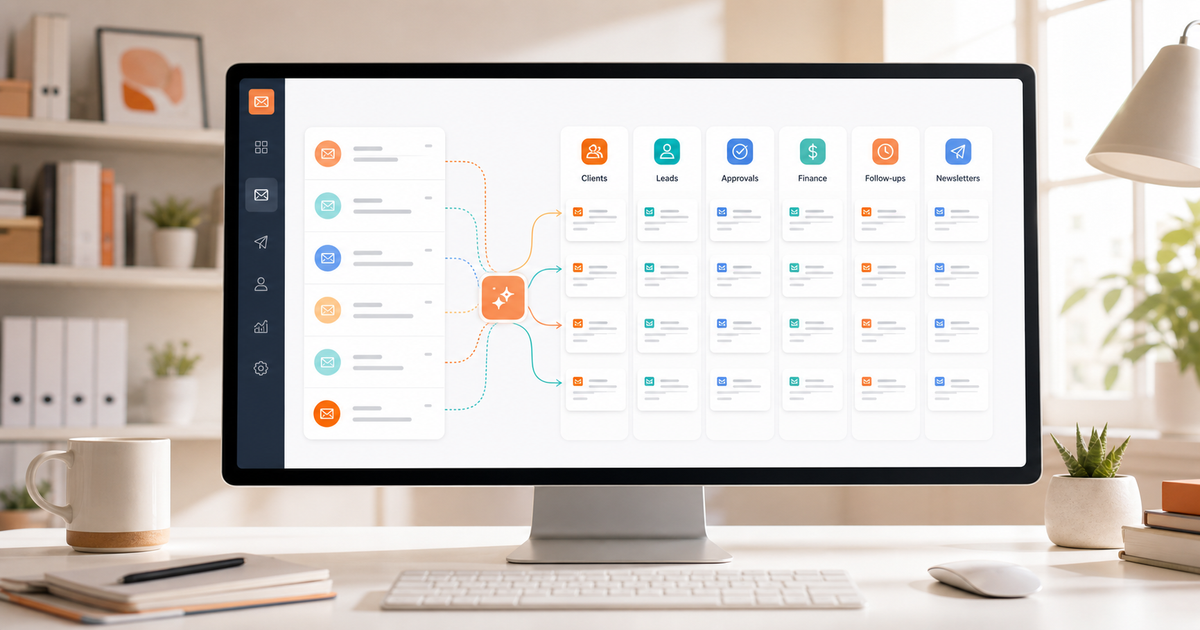
A practical guide to choosing an AI email assistant for agencies that need cleaner client triage, faster approvals, reviewable drafts, shared inbox workflows, and reliable follow-ups.
Agency email is rarely one clean inbox.
It is client approvals, revision requests, scope questions, new leads, invoice threads, vendor updates, content feedback, launch issues, and "just checking in" messages from five different projects at once.
That is why the best AI email assistant for agencies should do more than write polished replies. Writing help is useful, but agency inboxes usually break earlier in the workflow: deciding what matters, who owns it, what changed in the thread, and which follow-up cannot slip.
If you run a creative agency, marketing agency, dev shop, PR firm, consulting practice, or client services team, the right assistant should make email easier to operate without turning every conversation into a risky automation experiment.
This guide breaks down what agencies should look for, where popular AI email tools tend to differ, and how to build a safer agency email workflow in 2026.
What agencies actually need from an AI email assistant
Most AI email tools lead with faster drafting.
For agencies, faster drafting helps, but it is only one piece of the problem. The real pressure comes from the way different client workflows collide in the same inbox:
- a client asks for timeline changes
- a prospect replies to a proposal
- a designer needs asset approval
- a finance contact asks about an invoice
- a partner sends contract edits
- a teammate forwards background context
- newsletters and SaaS alerts bury the whole thing
An AI writing button does not fix that by itself.
A strong AI email assistant for agencies should help with six jobs:
- Separate active client work from low-value noise.
- Route leads, approvals, invoices, and delivery updates into clearer lanes.
- Summarize long threads before anyone replies.
- Draft replies from real conversation context.
- Standardize recurring answers without sounding robotic.
- Bring follow-ups back when the next step is waiting on someone else.
That is the difference between an AI email writer and an AI inbox system.
Start with client triage, not reply generation
Agency teams lose time when every message looks equally important.
A client approval sits next to a product newsletter. A qualified lead lands under a tool notification. A deadline change is buried below automated reports. Someone eventually finds the thread, but the response window is already worse than it needed to be.
This is where AI triage matters.
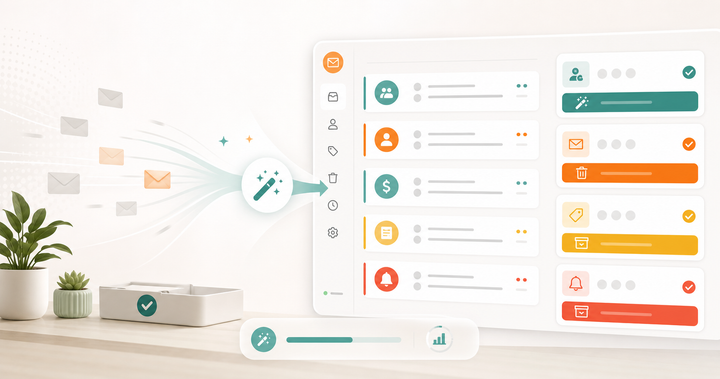
Replyless uses AI email categorization to classify email by intent, urgency, sender, and workflow. For an agency, useful categories might include active clients, new leads, approvals, revisions, finance, vendors, newsletters, and low-priority updates.
You can turn those categories into focused work queues with AI split inboxes. Instead of asking the team to scan one messy inbox, you can create lanes like:
- Client approvals
- New business leads
- Revision requests
- Finance and invoices
- Waiting on client
- Newsletters and tools
This makes the first daily question much simpler: "Which client or revenue thread needs attention now?"
The first win is not automation. It is visibility.
Use split inboxes for agency workflows
Folders and labels are helpful until they become another manual system to maintain.
Agencies need inbox structure that reflects how work actually moves:
- Client work needs fast context and ownership.
- Leads need qualification and timely replies.
- Approvals need nudges before deadlines slip.
- Finance threads need accuracy and care.
- Internal updates should not interrupt urgent client replies.
Replyless gives agencies a dedicated use case page for this workflow at Replyless for agencies. The practical goal is simple: keep client requests, approvals, invoices, leads, and follow-ups visible without forcing everyone into a heavy help desk.
A good split inbox setup for an agency might look like this:
Active clients
This lane is for live client conversations, campaign updates, design feedback, delivery questions, and project coordination.
The goal is speed with context. Your team should not have to remember which client thread matters. The lane itself should show them.
Approvals and revisions
This lane is for messages that can block work:
- "Approved"
- "Can we change this?"
- "Please review"
- "One quick edit"
- "Looks good, but..."
These messages are easy to underestimate. They often decide whether a project moves today or stalls for a week.
New leads
New inbound opportunities deserve a separate place from active client work.
An agency lead usually needs a fast first reply, a few qualification questions, and a reminder if the prospect goes quiet. Replyless already has a related guide on how to automate client inquiry replies, which pairs well with this workflow.
Finance
Invoice approvals, payment questions, purchase orders, and contract follow-ups should not sit inside the same lane as creative feedback.
Finance replies need accuracy more than speed. Separating them reduces the chance that a rushed client reply accidentally becomes a billing mistake.
Waiting on client
This is the lane most agencies forget.
A thread is not done just because your team replied. It may be waiting on approval, assets, a signature, payment, or feedback. If those threads stay in the main inbox, they create noise. If they disappear completely, they create missed deadlines.
A dedicated waiting lane plus reminders gives you a cleaner system.
Thread summaries are the quiet agency superpower
Agency threads get long fast.
A client sends feedback. A teammate replies. Someone forwards an attachment. The client changes the scope. A different stakeholder comments three days later. By the time you reply, you are rereading the whole thread just to avoid missing one detail.
That rereading is expensive.
A good AI email assistant should summarize the thread before drafting. Replyless supports AI thread summaries, which are especially useful for agency work because they help answer:
- What did the client ask for?
- What changed since the last reply?
- What was already promised?
- What decision is still open?
- What is the safest next action?
This matters because agency email is relationship-heavy. A generic summary is not enough. The assistant needs to help the person replying understand the state of the work, not just compress the text.
Drafting should stay review-first
AI email drafting is valuable for agencies, but it should not be treated like autopilot.
Client communication carries risk. A draft can sound confident while missing context, over-promising scope, using the wrong tone, or implying approval that has not happened yet.
The safer agency standard is review-first drafting.
Replyless supports AI email drafts that turn thread context into ready-to-edit replies. That is useful for common agency messages:
- confirming next steps
- sending a polite follow-up
- acknowledging client feedback
- asking for missing assets
- recapping a project decision
- replying to a qualified lead
- declining low-fit work politely
The assistant should remove blank-page time. It should not remove judgment.
For client-facing work, a practical rule is simple: let AI draft the first version, then let a human own the final send.
Snippets keep agency replies consistent
Agencies repeat themselves constantly.
You answer the same questions about timelines, pricing, discovery calls, revision rounds, deliverables, file formats, onboarding, and payment terms.
AI can help rewrite those answers, but it should not invent your policies.
That is where email snippets still matter. Save the core answer once, then use AI to adapt it to the thread.
For example, an agency might keep snippets for:
- discovery call booking
- proposal follow-up
- asset request
- revision policy
- invoice reminder
- kickoff next steps
- project handoff
- post-launch check-in
The simple rule: snippets hold the source of truth, AI handles the wording.
That gives your team faster replies without creating five different versions of your agency's policy.
Follow-ups are where agency revenue leaks
Agencies rarely lose work because nobody wrote a reply.
They lose work because follow-ups get delayed:
- a warm lead asks for pricing and goes quiet
- a client forgets to approve a deliverable
- a stakeholder never sends assets
- a finance contact misses an invoice thread
- a past client mentions future work and the thread disappears
This is why reminders matter as much as drafting.
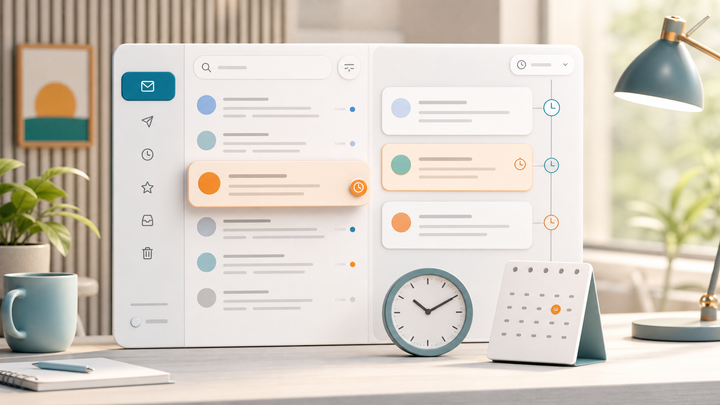
Replyless supports email reminders, so your team can move a waiting thread out of the main inbox and bring it back when action is needed.
For agencies, this is one of the highest-leverage workflows:
- Reply to the client.
- Set a reminder for the expected response window.
- Move the thread out of the active lane.
- Let it return when follow-up is actually needed.
That keeps the inbox calmer without losing the thread.
Shared inboxes should not mean shared confusion
Many agencies start with one founder inbox, then slowly become a team inbox.
That transition can get messy. Multiple people see the same client emails. Nobody knows who replied. A teammate drafts a response without the full thread context. Someone forgets that a client already got an answer in another account.
If your team handles client email together, look for shared structure, not just shared access.
Replyless includes shared inbox support for teams that need clearer ownership, context, and speed. The point is not to turn every agency into a support desk. It is to make shared client communication less ambiguous.
Useful shared inbox habits include:
- separate client work from new business
- keep finance messages away from creative approvals
- use summaries before handing off a thread
- save snippets for recurring team replies
- set reminders when a thread is waiting on someone
The best shared inbox is boring in the right way: fewer lost threads, fewer duplicate replies, fewer "did anyone answer this?" moments.
Multiple accounts need account-aware AI
Agency email often spans more than one account:
- founder inbox
- agency hello inbox
- sales inbox
- support inbox
- client-specific inbox
- old Gmail or Outlook account
- Zoho Mail account for operations
An AI assistant should not blur those contexts together.
Replyless supports multiple email accounts across Gmail, Outlook, and Zoho Mail while keeping each account scoped. That matters because a finance reply should not borrow details from a sales account, and a client-specific inbox should not mix with a founder's personal workflow.
For agencies, account-aware AI is less flashy than autonomous agents, but it is more important.
How popular AI email tools compare for agency work
Most AI email tools can help some part of an agency inbox. The question is which part.
Superhuman is strongest for speed-oriented email users who want a premium productivity workflow with shortcuts, reminders, split inbox behavior, snippets, and AI writing features. It can be a strong fit for individual power users, especially if the main goal is faster personal email execution.
Canary Mail leans toward a full email client with AI writing, thread summaries, categorization, multi-account support, calendar features, and a strong security message. It is useful for people who want a traditional cross-platform email app with AI added into the experience.
Spark focuses on a calmer email client experience with Smart Inbox, Gatekeeper, priority email, snooze, reminders, AI writing, summaries, and team collaboration features. It is a good reference point for teams that care about focus and collaborative email handling.
Jace takes a more agentic executive assistant angle. It talks about organizing inboxes, drafting responses, smart rules, business integrations, AI labels, and workflows that react to emails. That can be powerful, but agencies should be deliberate about how much autonomy they want around client communication.
Replyless is more focused on the agency inbox workflow itself: AI categorization, split inboxes, thread summaries, reviewable drafts, snippets, reminders, shared inboxes, cleaner workflows, and account-aware multi-inbox support.
If your agency mostly wants a faster personal email client, a speed-first tool may be enough. If your agency needs clearer client lanes, safer reply drafting, and better follow-up control across Gmail, Outlook, or Zoho Mail, Replyless is built closer to that workflow.
A simple agency AI email workflow
You do not need to automate everything on day one.
Start with a workflow your team can trust:
- Create split inboxes for active clients, leads, approvals, finance, and waiting on client.
- Use AI categorization to keep those lanes updated.
- Summarize long client threads before replying.
- Draft routine replies with AI, then review before sending.
- Save snippets for policies, onboarding, pricing, and delivery updates.
- Set reminders for every thread waiting on a client or prospect.
- Review the waiting lane daily or weekly, depending on your cycle.
This is intentionally simple. The goal is not to build an elaborate automation machine. The goal is to make client communication easier to see, answer, and follow up on.
Checklist: what agencies should look for
When comparing AI email assistants for agency work, ask these questions:
- Can it separate client work, leads, approvals, finance, and low-priority email?
- Can it summarize long threads before someone replies?
- Can it draft replies from thread context, not just a prompt?
- Can every AI draft be reviewed before sending?
- Can the team save approved snippets for recurring replies?
- Can it bring waiting threads back with reminders?
- Can it support Gmail, Outlook, and Zoho Mail?
- Can it keep accounts scoped instead of mixing client contexts?
- Can it support shared inbox workflows without forcing a heavy help desk setup?
- Can it reduce inbox clutter as well as speed up replies?
If a tool only helps with writing, it may still be useful. But it will not solve the whole agency inbox problem.
The bottom line
The best AI email assistant for agencies is not the one that promises to send every reply for you.
It is the one that helps your team see the right client threads sooner, understand context faster, draft safer replies, reuse approved language, and follow up before opportunities or approvals disappear.
For most agencies, the winning workflow is not full automation. It is better triage, better context, and better review.
Replyless is built around that practical agency workflow: AI split inboxes, AI categorization, thread summaries, AI drafts, snippets, reminders, and shared inboxes for teams that need more structure without more email overhead.
If your agency inbox is where client work, new business, approvals, and follow-ups all collide, start by building clearer lanes. The replies get easier once the right messages stop getting buried.

Comments ()