

Best AI Email Assistant for Creators: How to Stop Missing Brand Deals
A practical guide to using an AI email assistant to protect brand deals, collaboration requests, invoices, and audience replies without living in your inbox.
A practical guide to using an AI email assistant to protect brand deals, collaboration requests, invoices, and audience replies without living in your inbox.
The creator inbox is not just an inbox. It is a sales pipeline, a support queue, a collaboration board, a billing reminder system, and a newsletter reader all piled into the same place.
That is why generic email productivity advice usually breaks down. A creator does not need a cleaner-looking inbox. They need to stop missing the few messages that actually move the business forward: paid partnerships, sponsor questions, client requests, podcast invites, affiliate opportunities, invoice threads, and time-sensitive collaboration replies.
The best AI email assistant for creators should do more than write a polite response. It should help you spot the emails that matter, separate them from noise, understand the context quickly, and draft replies you can approve without sounding like a template.
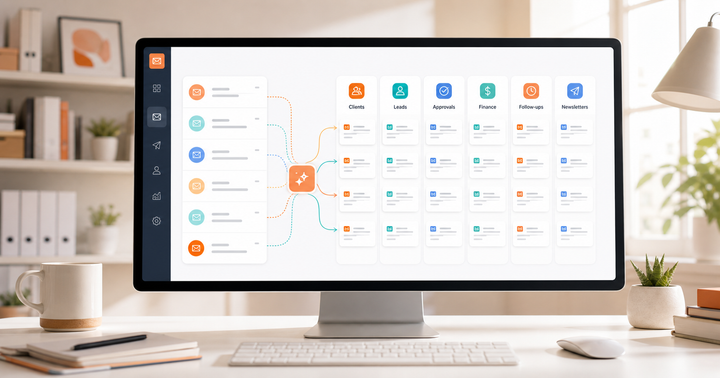
ReplylessAI is built for that kind of workflow. With AI split inboxes, AI categorization, AI email drafts, reminders, snippets, and thread summaries, creators can turn a messy inbox into a set of business queues that are easier to review and act on.
Why creator inboxes get out of control
A normal professional inbox has noise. A creator inbox has several different jobs competing for attention.
One email might be a serious brand inquiry. The next might be a newsletter, a fan message, a collaboration request from another creator, an affiliate update, a platform notification, or a vendor trying to sell something. They all arrive in the same stream, but they do not deserve the same level of attention.
Most creators do not miss opportunities because they are careless. They miss them because the inbox does not understand the business. A brand-deal email should not sit next to a shipping receipt. A payment reminder should not be buried under newsletters. A warm collaboration thread should not disappear because you opened it on your phone and forgot to answer later.
An AI email assistant should help with this at the workflow level, not just the writing level.
What creators should look for in an AI email assistant
The right tool should help you answer four questions faster:
What is this email about?
Does it matter to my business?
What should happen next?
Can I reply quickly without losing my voice?
That means creators should look for more than a generic AI writing button. The useful features are the ones that reduce decision fatigue and protect revenue-generating threads.
AI categorization that knows creator work
A creator inbox needs categories that match how creator businesses actually work. Useful categories might include Brand Deals, Paid Collaborations, Invoices, Audience Replies, Podcast Invites, Affiliate Programs, Client Work, Newsletter Noise, and Needs Follow-Up.
Basic filters can catch exact words. AI categorization is more useful because important emails do not always use predictable language. A sponsor might write partnership, collab, campaign, media kit, or paid opportunity. A human can understand that these belong together. Your inbox should too.
ReplylessAI's AI categorization is useful here because the goal is not simply to label mail. The goal is to create a calmer review process where high-value messages rise to the right place.
Split inboxes for different kinds of attention
Creators often try to manage everything from one inbox view, then wonder why email feels impossible. The better approach is to create separate review lanes.
A Brand Deals inbox should get a focused daily review. An Invoices inbox might need a weekly sweep. Audience replies can be batched. Newsletters can be read when there is real downtime. Low-value pitches can be ignored or archived faster.
This is where AI split inboxes can make a real difference. Instead of treating every unread email as equal, you can review the inbox by business priority.
A practical creator inbox setup
A strong creator setup does not need to be complicated. Start with five split inboxes.
Brand Deals
This inbox should catch sponsorship requests, paid partnership opportunities, campaign briefs, affiliate offers, media-kit questions, and follow-ups from brand managers.
The goal is speed. Brand managers often talk to multiple creators at once. A slow reply can mean the campaign moves on without you.
For this inbox, use snippets for common replies: asking for budget, requesting campaign dates, sending a media kit, confirming deliverables, or declining a poor-fit offer politely.
Active Collaborations
This inbox should hold conversations where work is already in motion. That might include sponsor approvals, UGC revisions, podcast scheduling, cross-promotion plans, or client deliverables.
The key is context. These threads often stretch across many messages. Thread summaries help you get back into the conversation quickly without rereading every message.
Money and Admin
Put invoices, payment confirmations, tax forms, contract questions, and billing reminders in one place.
This is not glamorous, but it protects cash flow. If you only build one operational split inbox beyond brand deals, make it this one.
Audience and Community
Audience messages matter, but they can be emotionally and cognitively expensive. Instead of letting them interrupt the whole day, batch them.
You can use AI drafts to reply faster while keeping the final approval human. For creators, this matters. Your voice is the product. The assistant should help you respond, not flatten your tone.
Newsletters and Learning
Newsletters are not bad. They are just bad when they sit beside revenue and client work.
Move newsletters, creator economy updates, platform announcements, and read-later material into a separate inbox. ReplylessAI's guide to smart email sorting for newsletter overload is a useful starting point if newsletter clutter is a daily issue.
Use AI drafts, but keep the creator voice human
Creators should be careful with fully automated replies. The inbox contains opportunities, relationships, and reputation. A reply that sounds generic can cost trust.
The better workflow is human-in-the-loop.
Let AI draft the first version. Review it. Adjust anything that sounds too stiff. Add the detail only you would know. Then send.
This is where AI email drafts are most useful. They remove the blank-page problem without handing over the relationship.
For example, a brand inquiry might need a draft that says:
Thanks for reaching out. This sounds aligned with my audience. Could you send over the campaign timeline, deliverables, usage rights, and budget range? I can share a media kit once I understand the scope.
That is not a complicated message, but writing it from scratch twenty times a week still costs attention. A good assistant helps you reuse the structure while leaving room for a human finish.
Set reminders for the emails that make money
Creators lose deals in the gaps between replies.
A brand asks for rates. You reply. They go quiet. Three days pass. You forget. The campaign closes.
That is not an inbox problem in the narrow sense. It is a follow-up problem. Your email assistant should help you remember which threads need another touch.
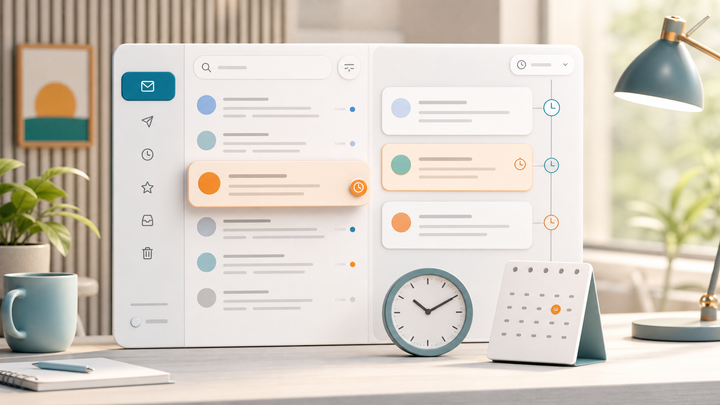
Use reminders for brand managers who have not replied after you sent rates, clients who owe feedback or approval, invoices that are due soon, collaborators who need to confirm dates, and podcast hosts who need scheduling details.
Follow-up does not need to feel pushy. A simple, useful reminder often keeps the conversation alive.
The best AI email assistant for creators is the one that protects opportunity
For creators, email is not just communication. It is where revenue, reputation, and relationships show up.
That is why the best AI email assistant for creators is not necessarily the one with the longest feature list. It is the one that helps you protect the important work from the constant flow of low-value messages.
ReplylessAI helps creators do that by combining AI categorization, split inboxes, drafts, reminders, snippets, and summaries into one practical workflow. You still make the decisions. You still sound like yourself. You just spend less of your week digging for the emails that deserved your attention all along.

Comments ()